For years the single most frustrating thing about selling on Etsy was that you could not see why a listing was not working. It was up, it looked fine, and it got four views a week. Was it the title? The photos? The price? Were you shadowbanned? Was the whole thing rigged?
You could not know. So people guessed, and then they argued about their guesses in forums, and a small industry grew up around selling those guesses back to them.
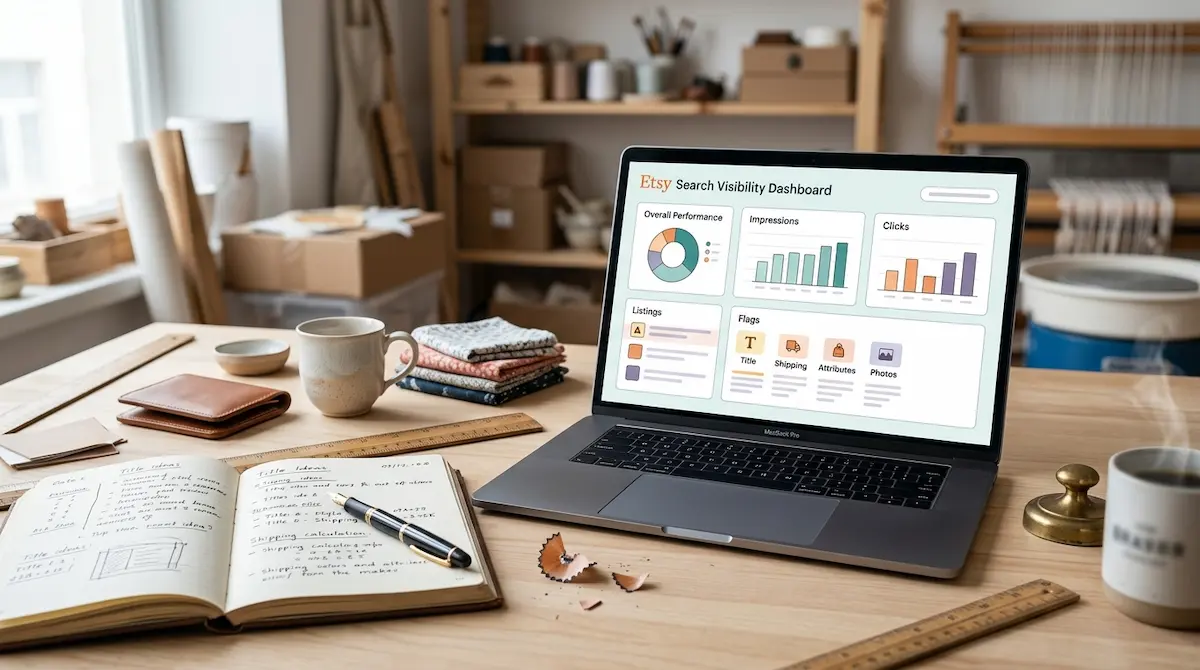
Etsy has now, quietly, mostly fixed this. There is a Search Visibility Dashboard in Shop Manager, and it tells you which of your listings have reduced visibility and what specifically is wrong with them.
An enormous number of sellers have never opened it. If you are one of them, this is probably the highest-value twenty minutes available to you right now.
Where it is
Shop Manager, then look for Search Visibility. Etsy has moved it around a bit depending on when you are reading this and which version of the seller dashboard you have, so if it is not immediately obvious, search "visibility" in the Shop Manager search box.
Once you are in, it does two things: it shows you overall search performance, and — the useful part — it flags individual listings that are being held back, with a reason attached.
What it flags, and what each one actually means
Title quality
This is the big one in 2026, and it usually means your title is stuffed. Etsy now wants natural titles under 15 words that lead with what the product is. If your titles still look like a keyword dump from 2019, expect to see a lot of these.
Fix: rewrite the title so a human could read it out loud. Product first. Move all the extra keywords into your 13 tags, where they still work fine.
Shipping price
Etsy made shipping cost a visibility signal. US domestic shipping over $6 reduces how often your listing gets shown. Not "makes buyers less likely to click" — actually reduces the impressions.
Fix: either get shipping under $6 or build it into the item price and offer free shipping. Run the numbers first; sometimes free shipping is genuinely worse for you after fees. But if it is close, take the free shipping.
Missing attributes
You left dropdowns blank. Colour, material, occasion, recipient, style, holiday.
Fix: go and fill them all in. This is the most boring item on the list and the fastest to clear. Ten minutes of clicking.
Photo problems
Usually resolution, aspect ratio, or a first photo that does not show the product clearly. Sometimes it is a mockup with text plastered all over it.
Fix: first photo should be the product, big, well lit, high contrast, no marketing text. Save the "50% OFF" graphics for photo four onwards, if at all.
Low engagement
This one is not really a fault you can fix directly. It means people see the listing and do not click, or click and do not buy. Etsy takes that as a signal the listing is not what searchers wanted and shows it less.
Fix: it is almost always the first photo or the price. Those are the two things a buyer judges from the search grid. Change one, wait two weeks.
The order I would fix things in
Not everything on the list is worth the same. If you have 60 flagged listings and a normal amount of free time, go in this order:
1. Attributes on your best-selling listings. Fastest fix, zero risk, immediate.
2. Shipping price, shop-wide. This is a settings change, not a per-listing change. One decision, applies everywhere.
3. Titles on your top 10 by revenue. Highest impact, but you need to be patient afterwards — see below.
4. First photos on anything with lots of impressions and few clicks. The dashboard will tell you which those are. High impressions, low click-through, that is a photo problem nine times out of ten.
5. Everything else, slowly.
Notice what is not on that list: rewriting all 200 listings this weekend. Do not do that. You will not be able to tell what worked, and you will tank listings that were doing fine.
The waiting bit, which is the hard bit
Every change you make sends the listing back into a re-evaluation period. Etsy has to re-index it, show it to some people, and see what they do. That takes two weeks minimum before the numbers mean anything.
I know. It is genuinely annoying. You make a change, you check the next morning, nothing has happened, and the temptation is to change something else. Then something else. And after two weeks you have made eleven changes and learned nothing at all.
Change one thing. Write down what you changed and when. Come back in a fortnight.
If that sounds tedious — it is, but it is also the entire difference between people who improve their shop and people who fiddle with it forever.
What the dashboard does not tell you
Worth being clear about the limits, because it is not magic.
It will not tell you your niche is saturated. It will not tell you your design is bad. It will not tell you your price is 40 percent above every competitor. It will not tell you that your product is fine but nobody wants it in August.
It only flags mechanical problems — the things Etsy can measure about the listing itself. That is a lot, and it is much more than we used to get. But "no flags" does not mean "this listing will sell". It means "nothing is technically wrong with it."
If a listing has a clean bill of health and still gets no traction, the problem is upstream. It is the product, or the niche, or the design. And no dashboard is going to tell you that.
Which is where research comes in
The dashboard is a repair tool. It fixes listings you already have. It does not help you pick better ones.
For that you want to be looking at what has actually sold, not at what you hope will sell. Real products, real sales, in categories you can compete in. That is the bit that has to happen before you make anything.
We keep an archive of about nine thousand proven winners at ProfitBusters going back several years, searchable by niche and category and sortable by date, exactly so you can check that before you commit. One free winner a day publicly, ten a day for members. Have a look at what was moving in your category last autumn before you design the next thing.
Do this today
Seriously, just go and open it. Shop Manager, Search Visibility. Look at what is flagged.
Most sellers I have spoken to who finally open it find two things: a pile of blank attributes, and a shipping setting they set once in 2022 and forgot about. Both are ten-minute fixes and both are costing them impressions every single day.
Then leave it alone for two weeks.
Short version: Shop Manager, Search Visibility. Fix attributes first, then shipping, then titles on your best listings, then first photos. One change at a time, two weeks between checks. And remember it only catches mechanical problems — it cannot tell you your niche is wrong.